 Animated Elements
No codeBuilt without a line of code. Many of the sections use Animated Elements, and the app keeps every one of them editable in your builder.
Ironclad Performance.
Application funnel for a coach selling a $1,850 1:1 program, built to qualify and convert serious prospects.
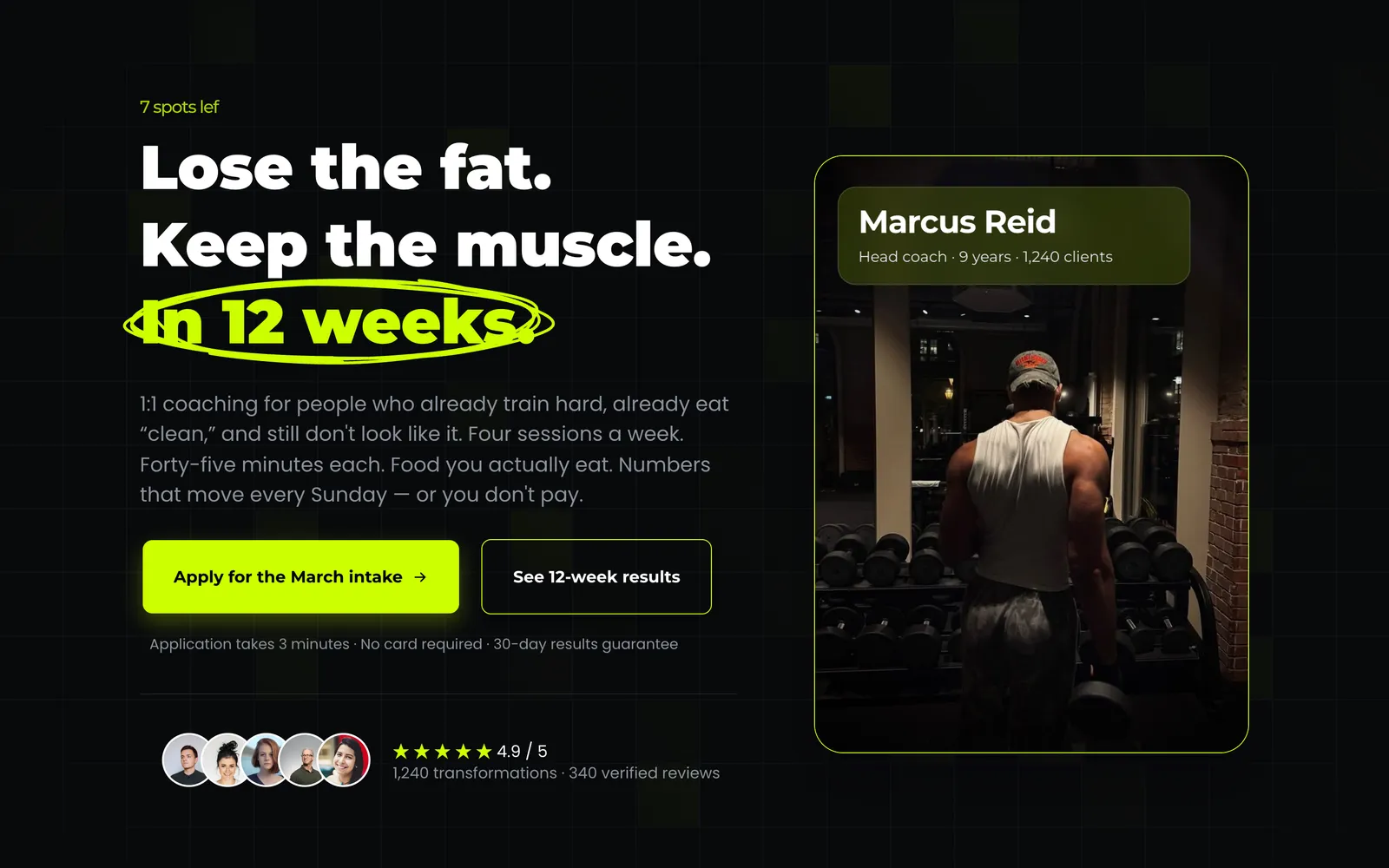
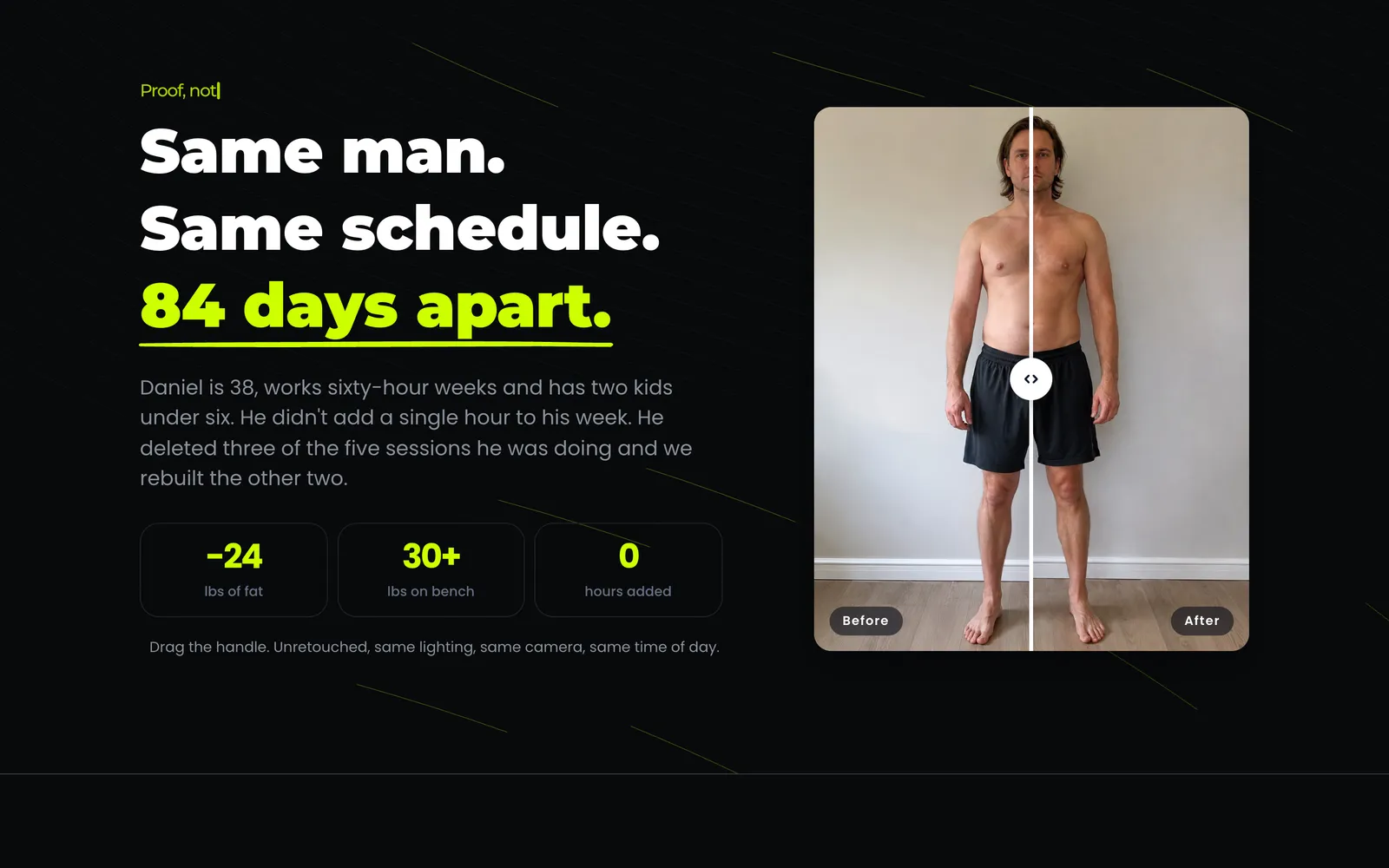
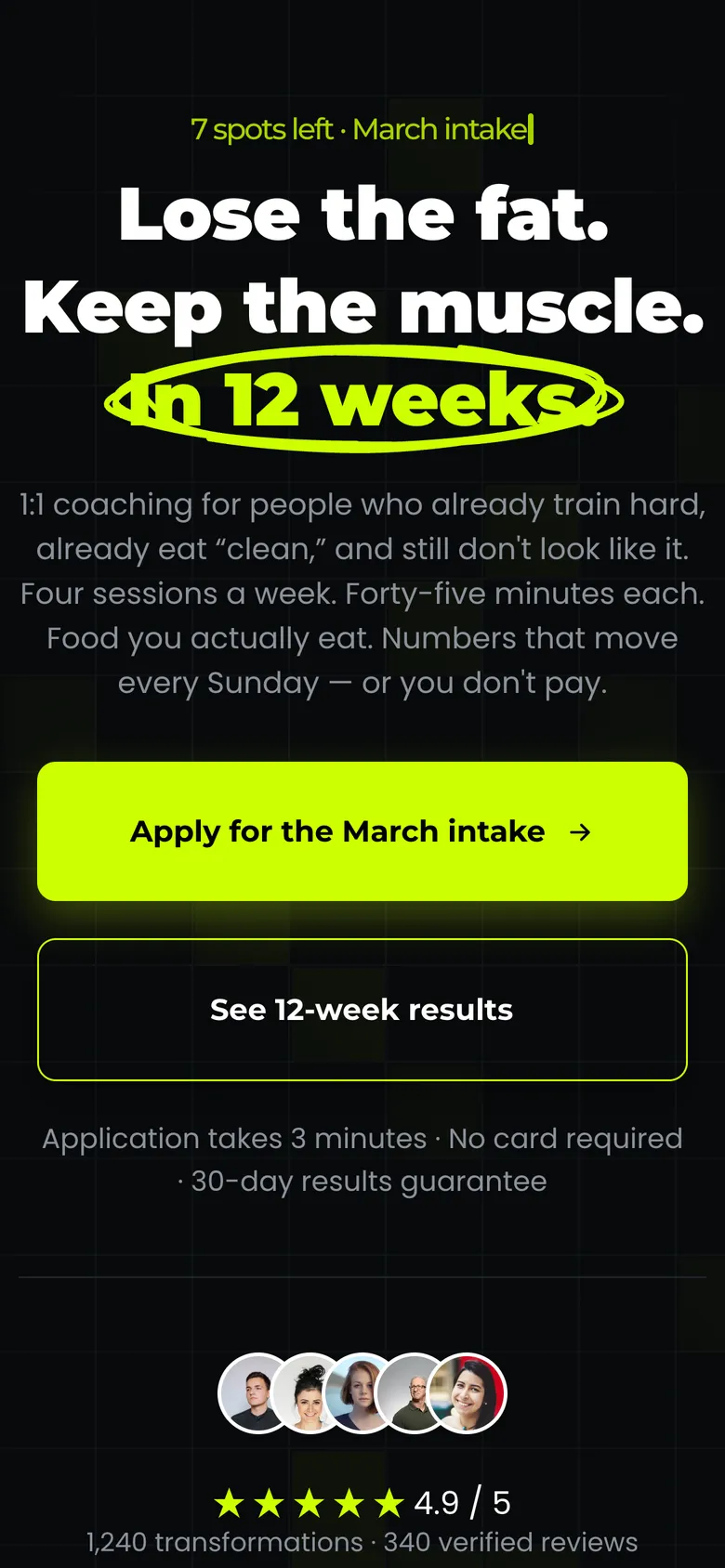
Hero and application CTA
What it is and who it converts
Most fitness funnels sell a low-ticket challenge and hope the upsell lands. This one is built for the other model: one coach, a capped roster, and an offer priced high enough that the funnel has to qualify before it converts. The whole page is arranged around that job.
The offer page opens on a specific promise with a specific timeframe, then immediately narrows the audience with a two-column fit and not-a-fit block. That block is doing the heavy lifting: it turns away the meal-plan-PDF buyer on purpose, which is what keeps the application queue worth reading.
Proof comes before mechanism. A before-and-after comparison with the numbers attached, a stats bar, then the three-lever system explanation, then a five-phase timeline that removes the "what actually happens" objection. The offer stack and the guarantee sit near the bottom, after the case has already been made, with the pricing anchor and a roster cap doing the scarcity work honestly rather than with a countdown timer.
Every claim slot is filled with real-sounding specifics rather than placeholders, so you can see how the funnel is meant to read before you swap in your own numbers. The dark palette and acid highlight are one variable each in the builder, so rebranding it is minutes, not an afternoon.
2 steps, 13 sections, all editable
The steps
- 01
Offer page
Long-form sales page: promise, qualification, proof, mechanism, timeline, offer stack, guarantee and FAQ, with the application CTA repeated at every decision point.
- 02
Confirmation
Sets expectations for what happens next and when, so the applicant does not go cold between submitting and hearing from you.
Sections, in scroll order
- 01Hero with animated grid background
- 02Social proof and coach credentials
- 03This is for / not for
- 04Before and after, with the numbers
- 05Results stats bar
- 06The three-lever system
- 07Five-phase timeline
- 08Client results wall
- 09The offer and what is included
- 10Price, roster cap and guarantee
- 11Testimonial marquee
- 12FAQ
- 13Closing CTA
Everything that is built in
- Long-form offer page with 12 sections
- Fit / not-a-fit qualification block
- Before-and-after comparison slider
- Results stats bar with animated counters
- Three-pillar mechanism section
- Five-phase programme timeline
- Client results wall with a draggable carousel
- Offer stack with a price anchor and payment plan
- Guarantee block
- Seven-question FAQ that handles objections pre-call
- Testimonial marquee
- Live viewer counter on the final CTA
- Sticky application CTA repeated at every decision point
- Mobile layout built, not inherited
Built for this, and it travels
It was written for fitness coaches, and the structure underneath is not specific to them. Swap the copy and the images and the same page carries a different offer.
- Online and in-person coaches selling 1:1 programmes above $1,000
- Transformation offers with a fixed timeframe and a measurable result
- Coaches running paid traffic who need the page to qualify before the call
- Anyone replacing a booking link with an application step
How to import Ironclad Performance. into your GoHighLevel account
- 01
Log into the location you want it in
Open GoHighLevel and switch to the sub-account that should receive the template. Whichever location is active when you open the link is the one that gets it, so check this first.
- 02
Open the share link
Paste the link into the same browser and open it. GoHighLevel shows you what is about to be imported and which location it is going to.
- 03
Confirm the import
Click import. The funnel or website appears in that location within a minute or two, with every step, section and setting intact.
- 04
Make it yours
Change the copy, images and brand colours, point the forms at your own calendar or pipeline, then set your domain and publish.
About this template
- Does the application form come connected?
- The form imports with the funnel and is already wired to the confirmation step. What it is not wired to is your pipeline, calendar or automations, because those are specific to your location. Point it at yours once and the funnel is live.
- Can I use this for something other than fitness?
- The structure is a high-ticket application funnel, and it transfers to any coaching or consulting offer with a defined timeframe and a measurable outcome. The fitness-specific parts are copy and images. If your offer has no before-and-after equivalent, the proof sections will need rethinking rather than rewriting.
- Is the pricing section easy to change?
- Yes. Price, anchor, payment plan, roster cap and start date are all plain text blocks in the builder. Nothing about the layout depends on the numbers being what they are.
- What do I need to install for the animations to work?
- The counters, comparison slider, highlighter, marquee and grid background come from the Animated Elements app. Install it in the same location and they run as shown. Without it the funnel still imports and still converts, those blocks just render static.
Licensing, plan requirements, editing after import and the rest of the general questions about GoHighLevel templates are answered on the library page.
Take Ironclad Performance. and start editing
Free, delivered as a GoHighLevel share link. It lands in whichever sub-account you are logged into and it is yours to change from there.
Before you import
Ironclad Performance. needs the Animated Elements app installed in your GoHighLevel account
The animated sections in this template are built on Animated Elements. Please install the app in the sub-account you are importing into. Without it, those sections land in the builder as plain blocks and the controls that drive them are not there to edit.
- Animated sections render the way they do in the live preview
- Timing, easing and scroll triggers become editable per element
- Copy, colours and images stay editable in the normal builder
- One install covers this template and every other one you take
Oakline
One-page seller funnel for a real estate team, built around a free home value request.
Funnel · Free
ReoDental
Appointment booking funnel for dental clinics, built around before and after proof.
Funnel · Free
Aether AI
Three-step free trial funnel for an AI marketing tool sold to agencies.
Funnel · Free
Northfield Positioning
One-page authority funnel for consultants selling fixed-scope engagements.
Funnel · Free