 Animated Elements
No codeBuilt without a line of code. Many of the sections use Animated Elements, and the app keeps every one of them editable in your builder.
Aether AI
Sales page, checkout and confirmation for a $149 per month AI marketing product, built to convert agency owners onto a free trial without a demo call.
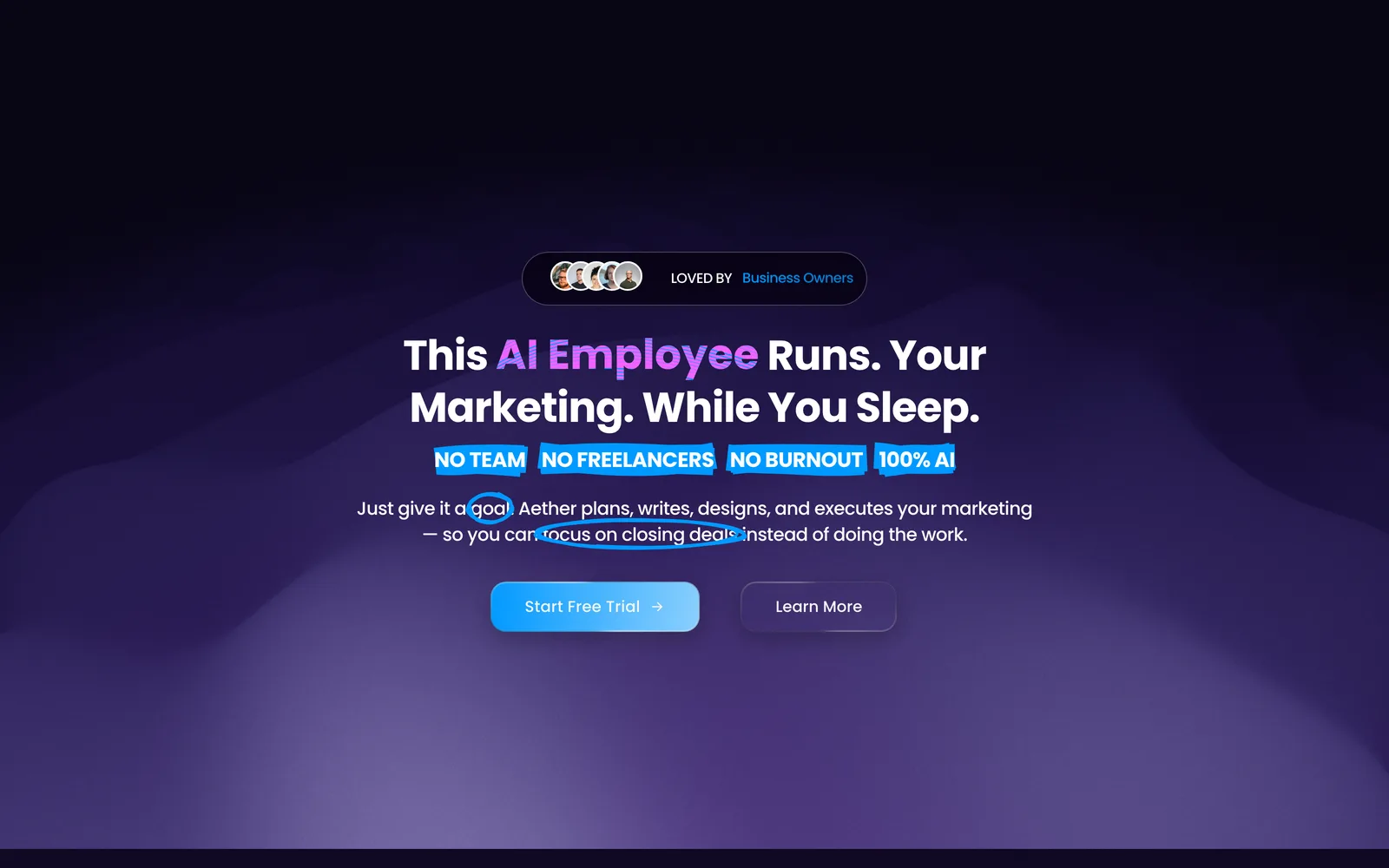
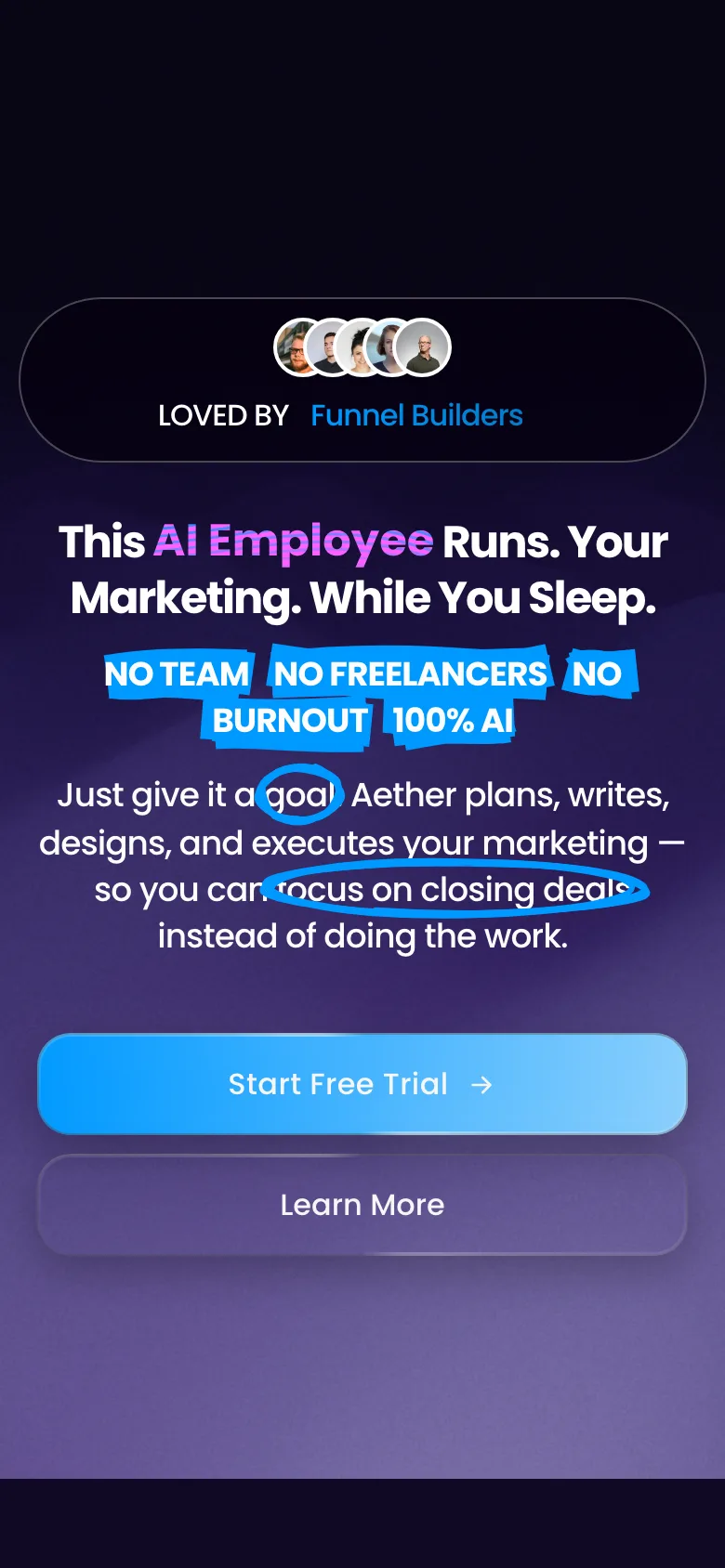
Hero and free trial CTA
What it is and who it converts
Most SaaS funnels point traffic at a pricing table and call it a launch. This one is built the way a subscription actually gets sold: a sales page that names the buyer's problem in their own words, a checkout that does not lose them at the last step, and a confirmation page that starts the relationship instead of ending the transaction.
The sales page leads with the outcome, not the feature list. Four badges under the headline strip out objections before they form, no team, no freelancers, no burnout, 100% AI, and a live user counter runs beside the first CTA. Proof arrives early rather than at the bottom: a platform logo marquee, then a founder section carrying revenue, lead volume and satisfaction numbers.
The middle of the page is a six-card problem grid written for agency owners, covering content, trends, hiring, prompt hunting, sameness and settling for good enough. That section is what earns the pricing block underneath it, where a $149 Starter and a $439 Professional plan sit side by side on glowing cards with one action each. A badged FAQ handles the objections that survive.
Twenty Animated Elements run across the funnel: a gradient wave hero, canvas and scramble headings, gradient card problem tiles, electric border pricing cards, counters on the stats row, a two-direction testimonial marquee and a badged FAQ. The deep violet ground and the electric blue accent are one variable each in the builder, so rebranding it is minutes, not an afternoon.
3 steps, 11 sections, all editable
The steps
- 01
Sales page
Long-form sales page: outcome headline, proof marquee, six-card problem grid, two-tier pricing, founder stats, testimonials and a badged FAQ, with the free trial CTA repeated at every decision point.
- 02
Checkout
Takes the plan chosen on the sales page and collects payment to start the trial.
- 03
Confirmation
Confirms the trial has started and sets expectations for what happens next, so a new user is not left with an empty inbox.
Sections, in scroll order
- 01Hero with gradient wave background
- 02Social proof pill with rotating audience
- 03Platform logo marquee
- 04Meet the product
- 05Agency problem grid
- 06Two-tier pricing
- 07Founder stats
- 08Closing value section
- 09Testimonial marquee
- 10FAQ
- 11Footer
Everything that is built in
- Three-step funnel: sales page, checkout and confirmation
- Outcome-led hero on a gradient wave background
- Four objection-stripping badges under the headline
- Social proof pill with a rotating audience line
- Live user counter beside the primary CTA
- Platform logo marquee
- Six-card agency problem grid on gradient cards
- Two-tier pricing on electric border cards
- Founder stats row with three animated counters
- Testimonial marquee running in two directions
- Badged FAQ with Popular and New tags
- Free trial CTA repeated at every decision point
- Trial price and cancellation terms stated beside the CTA
- Deep violet ground with an electric blue accent
- Mobile layout built, not inherited
Built for this, and it travels
It was written for ai marketing tools, and the structure underneath is not specific to them. Swap the copy and the images and the same page carries a different offer.
- AI and automation tools sold to agencies and marketers on a monthly subscription
- SaaS products running a self-serve free trial rather than a demo call
- Founders selling a $100 to $500 per month tool who need the page to do the selling
- Agency owners packaging an internal AI system as a productised offer
How to import Aether AI into your GoHighLevel account
- 01
Log into the location you want it in
Open GoHighLevel and switch to the sub-account that should receive the template. Whichever location is active when you open the link is the one that gets it, so check this first.
- 02
Open the share link
Paste the link into the same browser and open it. GoHighLevel shows you what is about to be imported and which location it is going to.
- 03
Confirm the import
Click import. The funnel or website appears in that location within a minute or two, with every step, section and setting intact.
- 04
Make it yours
Change the copy, images and brand colours, point the forms at your own calendar or pipeline, then set your domain and publish.
About this template
- Does the checkout come connected?
- The checkout imports with the funnel and is already wired to the confirmation step. What it is not wired to is your payment provider, products or automations, because those are specific to your location. Point it at yours once and the funnel is live.
- Can I use this for something other than an AI tool?
- The structure is a self-serve free trial funnel, and it transfers to any software or productised service sold monthly. The AI-specific parts are copy and images. If your offer is sold on a demo call instead, the checkout becomes a booking step and the pricing section needs rethinking rather than rewriting.
- Is the two-tier pricing easy to change?
- Yes. Plan names, feature lists, prices and button labels are plain text blocks in the builder. Adding a third tier is a matter of duplicating a card, and nothing about the layout depends on there being two.
- What do I need to install for the animations to work?
- All twenty animated blocks come from the Animated Elements app. Install it in the same location and they run as shown. Without it the funnel still imports and still converts, those blocks just render static.
Licensing, plan requirements, editing after import and the rest of the general questions about GoHighLevel templates are answered on the library page.
Take Aether AI and start editing
Free, delivered as a GoHighLevel share link. It lands in whichever sub-account you are logged into and it is yours to change from there.
Before you import
Aether AI needs the Animated Elements app installed in your GoHighLevel account
The animated sections in this template are built on Animated Elements. Please install the app in the sub-account you are importing into. Without it, those sections land in the builder as plain blocks and the controls that drive them are not there to edit.
- Animated sections render the way they do in the live preview
- Timing, easing and scroll triggers become editable per element
- Copy, colours and images stay editable in the normal builder
- One install covers this template and every other one you take
Oakline
One-page seller funnel for a real estate team, built around a free home value request.
Funnel · Free
ReoDental
Appointment booking funnel for dental clinics, built around before and after proof.
Funnel · Free
Northfield Positioning
One-page authority funnel for consultants selling fixed-scope engagements.
Funnel · Free
Ironclad Performance.
High-ticket application funnel for 1:1 fitness coaching.
Funnel · Free