 Animated Elements
No codeBuilt without a line of code. Many of the sections use Animated Elements, and the app keeps every one of them editable in your builder.
Oakline
One-page seller funnel for a real estate team, with a split flap track record, just listed cards, a staging before and after slider and the home value CTA from the nav to the close..
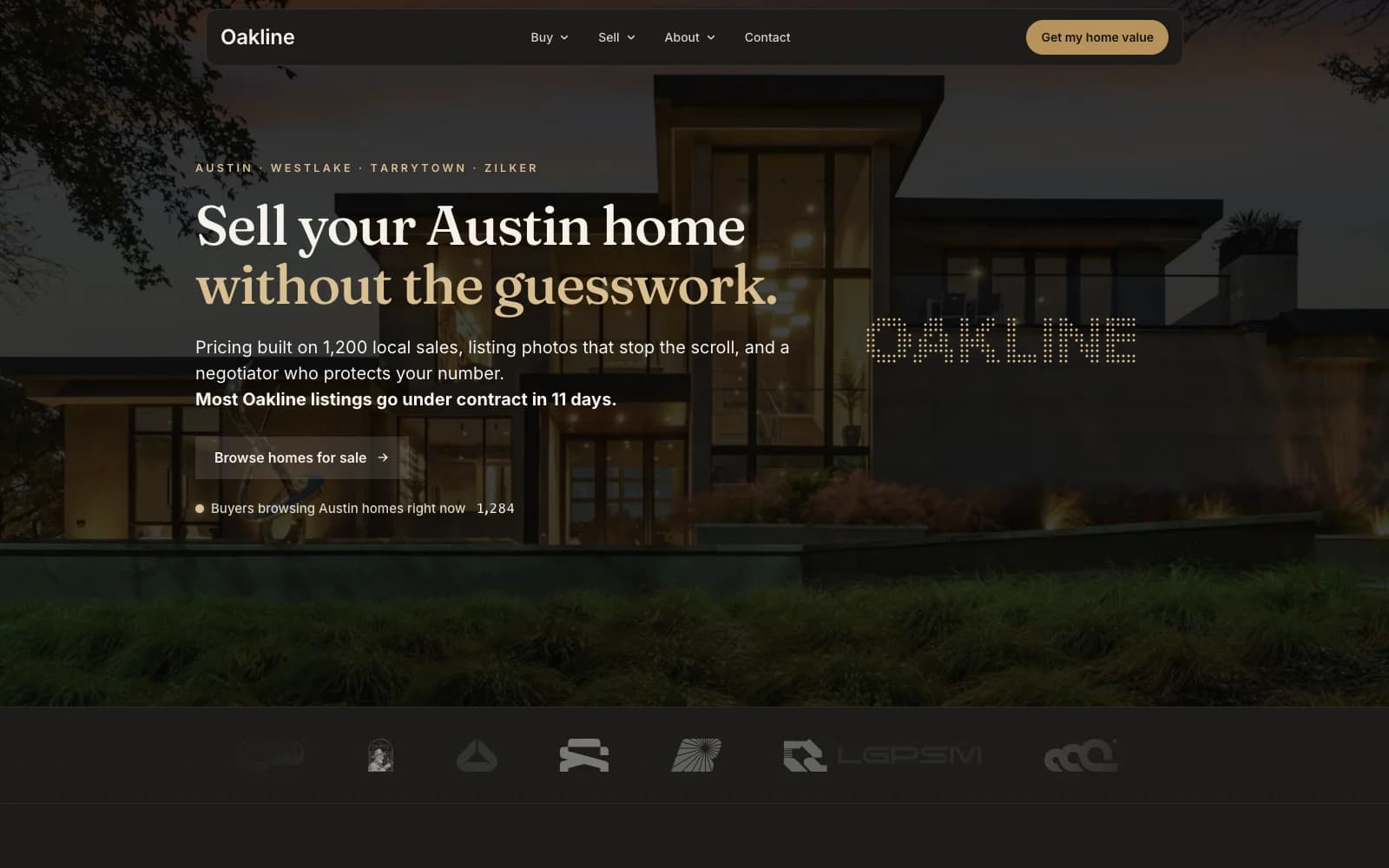
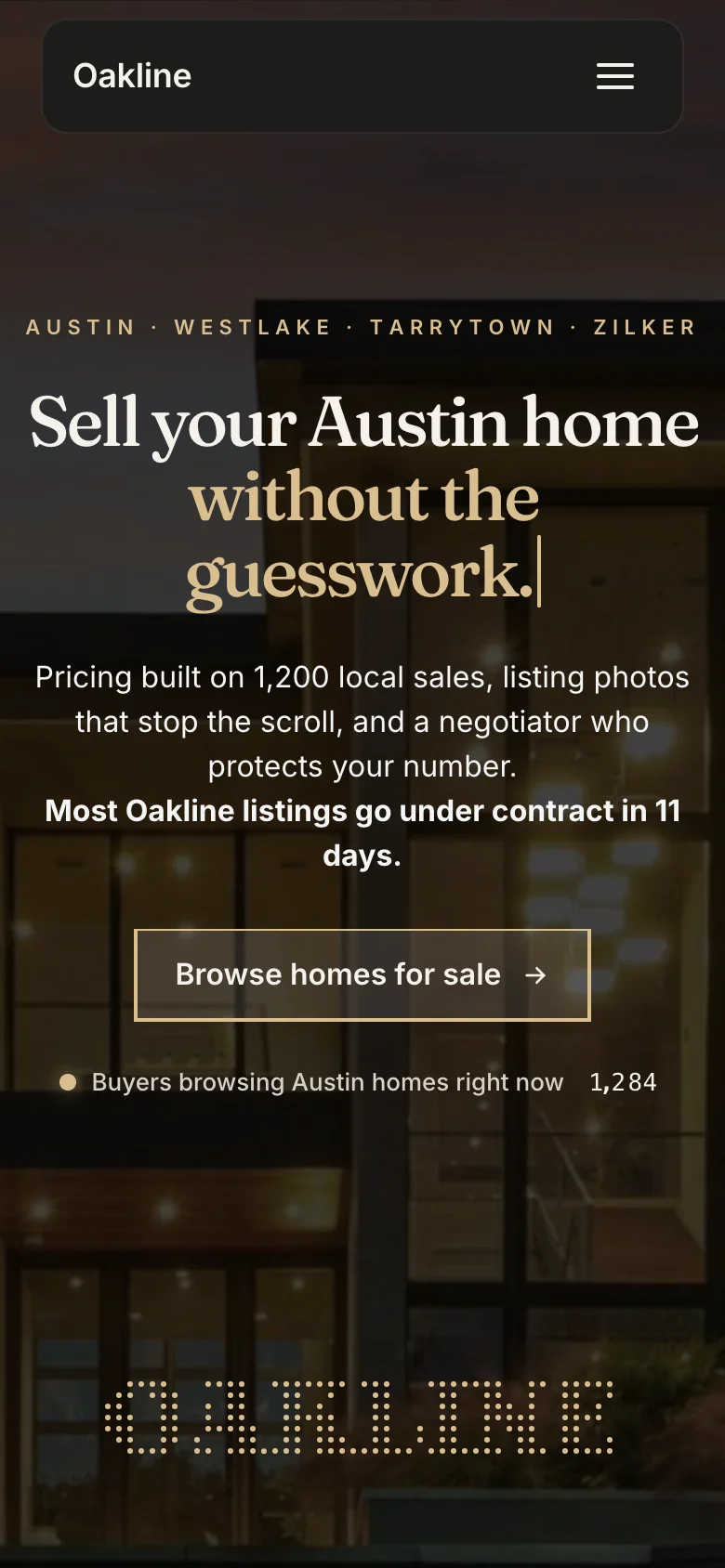
Hero and live buyer count
What it is and who it converts
Most agent sites are a listings search with a headshot on top. This one is built for the other side of the business: the homeowner deciding who lists their house. Every section answers what a seller actually wants to know, what they will walk away with and how fast, and Get my home value sits in the nav, the pricing and the close so nobody has to hunt for it.
The hero sells certainty, not square footage. A serif headline types out three seller promises over a twilight photo of a modern home, a live count shows buyers browsing right now, and one button serves the buyers who land here too. Straight under it, the track record turns closed sales into split flap stats (volume sold, days to sell, sale to list, reviews), because sellers trust numbers they can check.
Then it shows the work. A scrolling gallery lays out the marketing package, three just listed cards each book a tour, a hover list previews the neighborhoods with their medians, and a before and after slider makes the staging case in one drag. Pricing is on the page for sellers and buyers with the no sale, no fee promise written out, and a four-step process plus a day-by-day timeline answer how long this takes before anyone has to call and ask.
Trust closes it: seller stories that each name the neighborhood and the result, a buyer section for the other side of the table, a team wall visitors can drag around, and a final Sold. section over a silk aurora with a magnetic CTA. The brass, ink and sand palette and both fonts are set once in Page Settings, so rebranding it to your brokerage changes every section at once.
1 steps, 18 sections, all editable
The steps
- 01
Seller landing page
Long-form listing page: typed outcome headline, live buyer count, track record stats, marketing package, just listed cards, neighborhoods, staging slider, process, pricing, FAQ, timeline, seller stories, buyer services and team, with the home value CTA at the top and bottom.
Sections, in scroll order
- 01Hero with morph menu, typed headline and live buyer count
- 02Logo strip
- 03The track record, with split flap stats
- 04How we market: the listing package gallery
- 05Just listed: three listing cards
- 06Where we sell: neighborhood list
- 07Why sellers choose us: priced, polished, promoted
- 08Staging before and after slider
- 09How it works: four steps to sold
- 10What it costs: seller and buyer pricing
- 11Recently sold gallery
- 12Seller questions
- 13The timeline, day 1 to day 30
- 14Neighborhood marquee
- 15Seller stories
- 16Buying in Austin
- 17The team
- 18Closing CTA
Everything that is built in
- Single-page seller funnel with 18 sections
- Get my home value CTA from the nav to the closing section
- Morph menu navigation with Buy, Sell and About dropdowns
- Typed hero headline that cycles three seller promises
- Live count of buyers browsing, right in the hero
- Track record stats on a split flap display
- Scrolling gallery of the listing marketing package
- Just listed cards, each with a Book a tour button
- Neighborhood list that reveals a photo and median price on hover
- Staging before and after slider
- Four-step process and a day-by-day timeline to closing
- Seller and buyer pricing cards with a no sale, no fee promise
- Recently sold gallery in parallax columns
- Seller FAQ with a click-to-call number
- Seller stories, each naming the neighborhood and the result
- Buyer services section with its own CTA
- Draggable team wall
- Closing section over a silk aurora with a magnetic CTA
- Brand colors and fonts set once in Page Settings
- Mobile layout built, not inherited
Built for this, and it travels
It was written for real estate agents, and the structure underneath is not specific to them. Swap the copy and the images and the same page carries a different offer.
- Listing agents and teams generating seller leads
- Brokerages running Meta or Google ads to a home value offer
- Luxury agents who win listings on presentation and marketing
- Any local service sold on track record, from mortgage brokers to property managers
How to import Oakline into your GoHighLevel account
- 01
Log into the location you want it in
Open GoHighLevel and switch to the sub-account that should receive the template. Whichever location is active when you open the link is the one that gets it, so check this first.
- 02
Open the share link
Paste the link into the same browser and open it. GoHighLevel shows you what is about to be imported and which location it is going to.
- 03
Confirm the import
Click import. The funnel or website appears in that location within a minute or two, with every step, section and setting intact.
- 04
Make it yours
Change the copy, images and brand colours, point the forms at your own calendar or pipeline, then set your domain and publish.
About this template
- Does the Get my home value button come connected?
- The buttons import as links within the page: the nav and pricing buttons jump to the closing section and the listing buttons jump to the listings. No form is attached, because your valuation form, calendar and pipeline live in your location. Drop a GoHighLevel form or survey into the closing section, or point the buttons at your calendar, and the funnel is collecting seller leads.
- Are the stats, listings and reviews real?
- No. Oakline is a fictional brokerage, and every number, listing, review and agent on the page is placeholder copy written to show the structure. Replace them with your own closed sales, listings and reviews before you publish. Sellers check, and the whole page is built on numbers they can verify.
- Can I use it for another city, or for buyers?
- Yes. Austin is copy: the neighborhood names, medians and timeline are text blocks you replace with your own market. The buyer section and the Browse homes button already serve the buyer side, so a team that leads with buyers can move that section up without a structural change.
- What do I need to install for the animations to work?
- Every animated block comes from the Animated Elements app. Install it in the same location and they run as shown in the preview. Without it the funnel still imports and still works, those blocks just render static.
Licensing, plan requirements, editing after import and the rest of the general questions about GoHighLevel templates are answered on the library page.
Take Oakline and start editing
Free, delivered as a GoHighLevel share link. It lands in whichever sub-account you are logged into and it is yours to change from there.
Before you import
Oakline needs the Animated Elements app installed in your GoHighLevel account
The animated sections in this template are built on Animated Elements. Please install the app in the sub-account you are importing into. Without it, those sections land in the builder as plain blocks and the controls that drive them are not there to edit.
- Animated sections render the way they do in the live preview
- Timing, easing and scroll triggers become editable per element
- Copy, colours and images stay editable in the normal builder
- One install covers this template and every other one you take
ReoDental
Appointment booking funnel for dental clinics, built around before and after proof.
Funnel · Free
Aether AI
Three-step free trial funnel for an AI marketing tool sold to agencies.
Funnel · Free
Northfield Positioning
One-page authority funnel for consultants selling fixed-scope engagements.
Funnel · Free
Ironclad Performance.
High-ticket application funnel for 1:1 fitness coaching.
Funnel · Free